

About the App
SteamTrackr: Your In-Game Achievement Companion
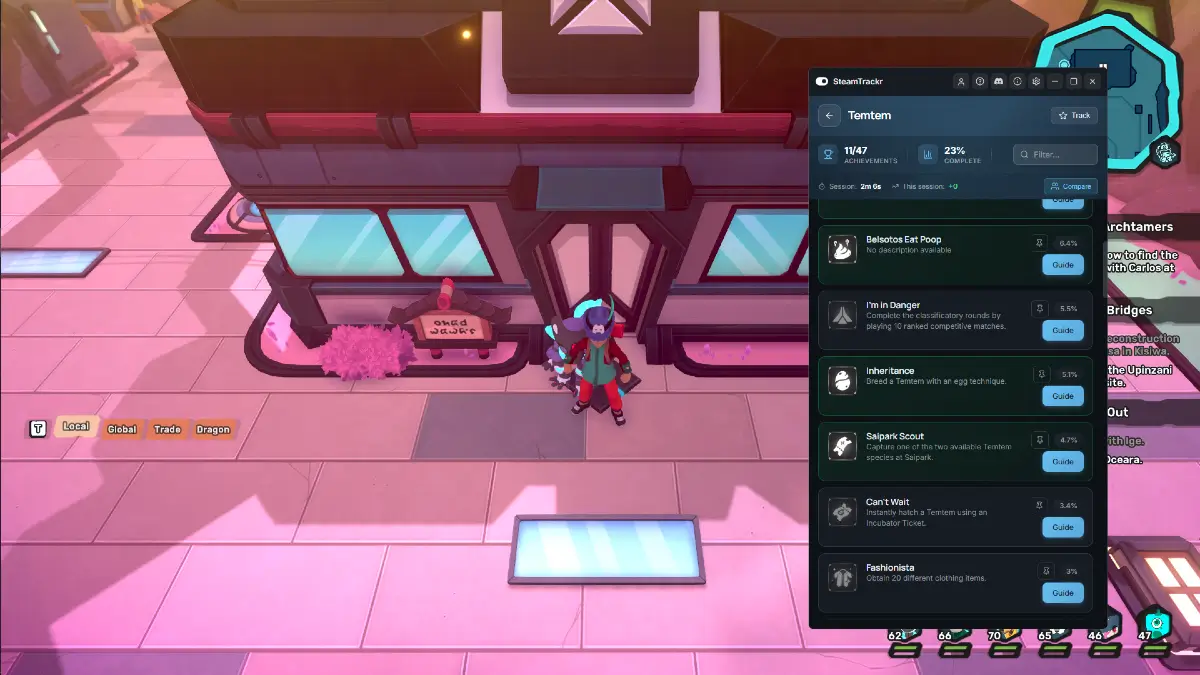
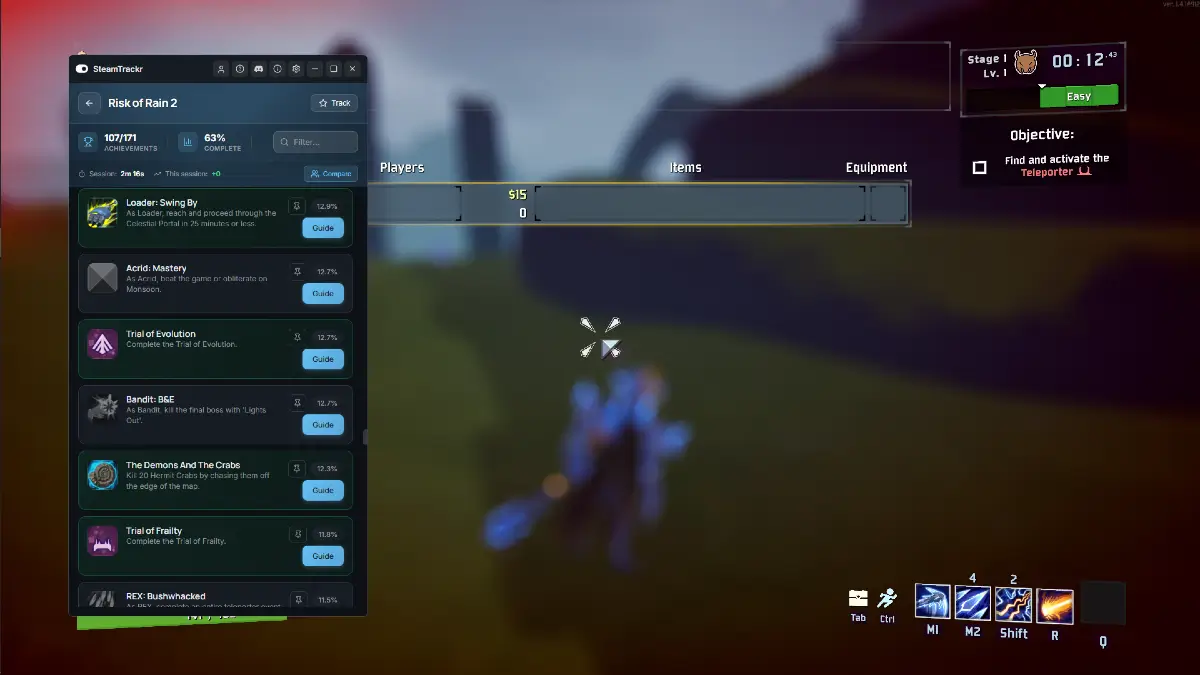
Stop alt-tabbing to figure out achievements. SteamTrackr pulls your Steam achievements and guides directly into your game through a clean, non-intrusive overlay.
Key Features
- Smart Game Detection: Automatically loads the achievements for whatever you're currently playing. No searching, no setup.
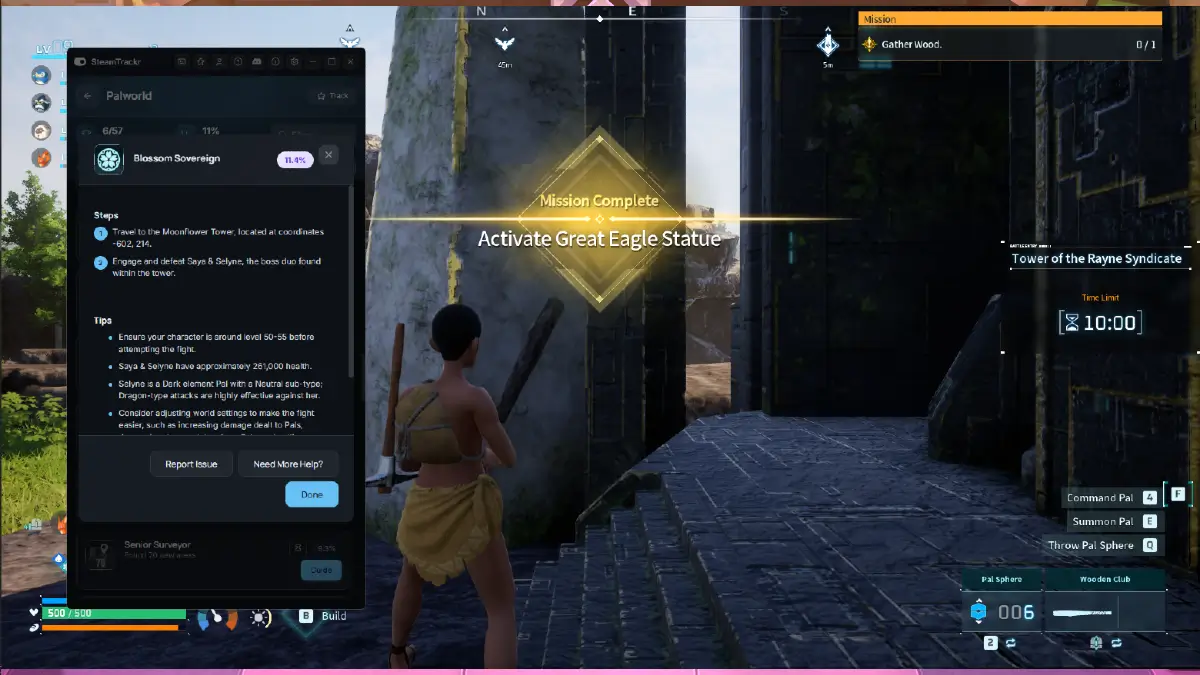
- Detailed Achievement Guides: Step-by-step walkthroughs for tough achievements, available on demand.
- Rarity at a Glance: Legendary, Epic, Rare, Uncommon, and Common badges show global completion rates instantly.
- Two Window Modes: Pick what fits your setup. A Desktop window for multi-monitor players, or a true In-Game Overlay for single-screen setups. Switch anytime in Settings.
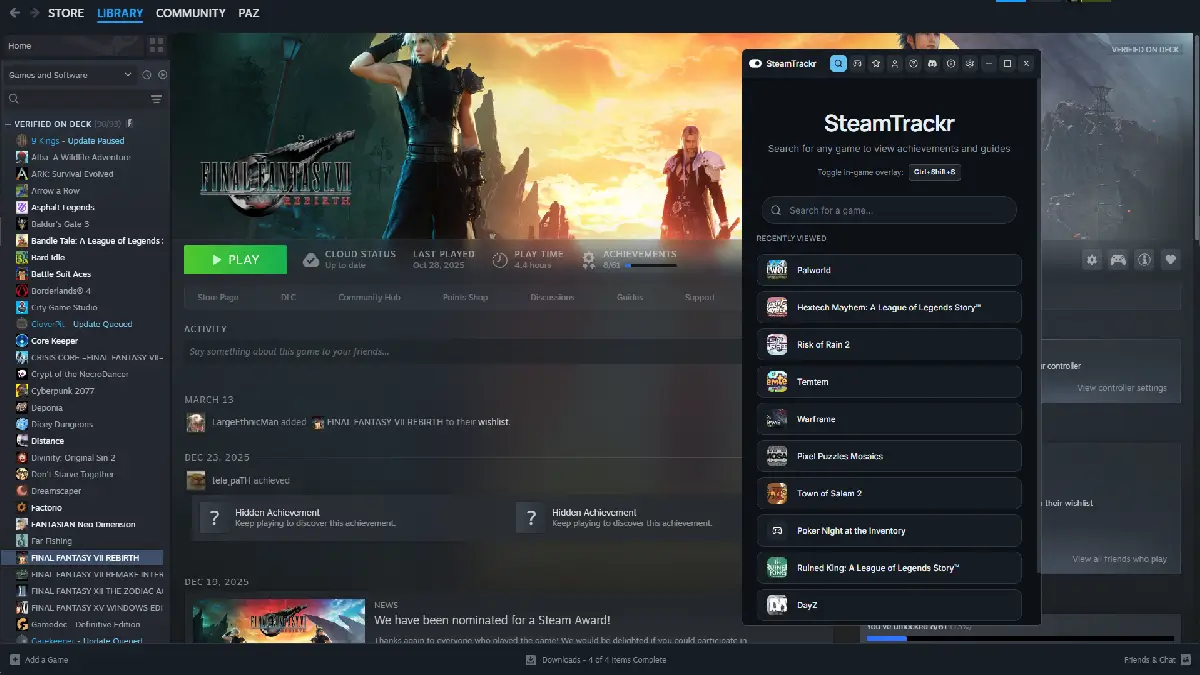
- Works With Any Steam Game: RPGs, soulslikes, roguelikes, survival, horror, action-adventure, metroidvanias, sandbox, cozy farmers, shooters. If it's on Steam, SteamTrackr tracks it. Browse and search the full library and even scout for games you aren't currently playing.
- Quick Toggle:
Ctrl+Shift+Sshows or hides the overlay instantly without breaking your flow. - Account Sync: Link your SteamTrackr account to carry tracked games and progress across devices.
- Steam-Inspired Design: Dark, minimal, and built to stay out of your way.
Go Pro
Upgrade to SteamTrackr Pro to unlock:
- Ad-free experience (banner and guide ads removed)
How to Use
- Launch any Steam game.
- Press
Ctrl+Shift+Sto open SteamTrackr. - Your current game's achievements load automatically.
- Click any achievement to view its guide.
- Hit the hotkey again to hide.
Made For
- 100% completionists and achievement hunters
- Players stuck on tough or obscure unlocks
- Anyone who'd rather stay in-game than hop to a browser
Popular on SteamTrackr:
Elden Ring · Cyberpunk 2077 · Palworld · Monster Hunter · Resident Evil · Hollow Knight · The Binding of Isaac · Stardew Valley · Terraria · Final Fantasy
App Info
 Overwolf Client (142.6KB)
- 1.4.0
- Apr 28th, 2026

 In-App Ads
 Premium